Secret Santa for Work, Without the Spreadsheet
Running Secret Santa for work? Marked draws names online for teams of up to 50. Share a 5-character code or an invite link in your team chat, let coworkers add wishlists and shipping addresses (handy for remote teammates), and each person sees only their own match.
Every coworker joins with a Marked account.
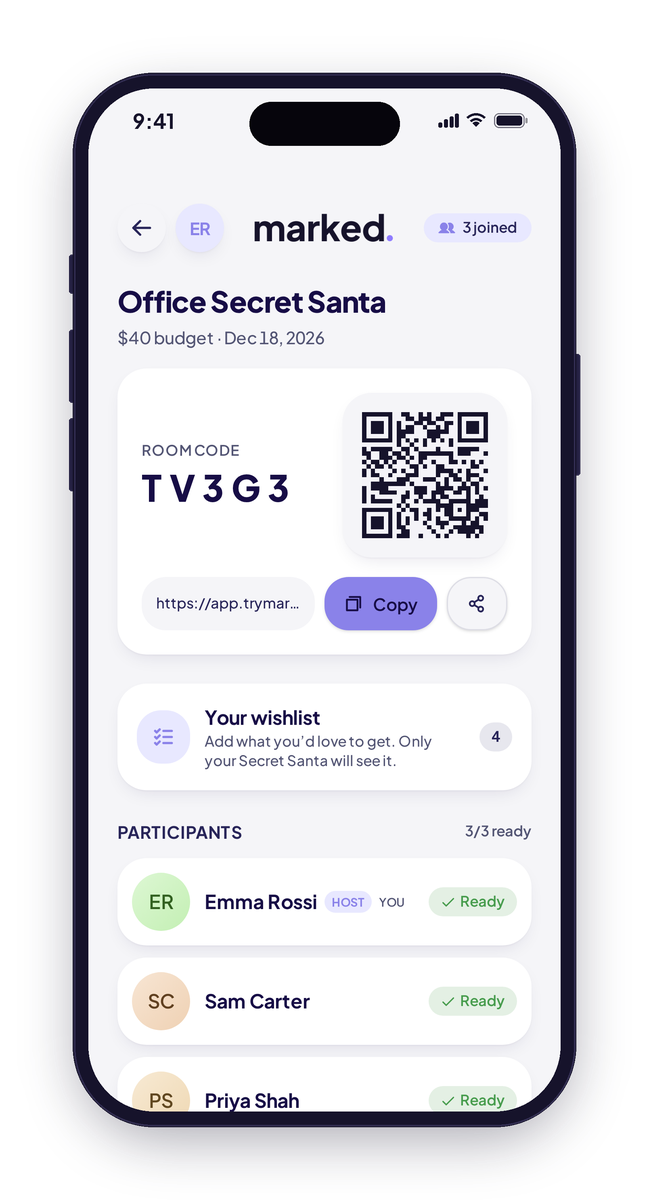
How to run an office Secret Santa
A plan you can copy into your team announcement.
Pick the basics
Agree on a spending limit and a swap date, and put both in your invite message.
Create the room
Name it, then share the 5-character join code or invite link in your team chat or email. Up to 50 people. Lock joining once everyone's in.
Collect wishlists
Ask everyone to add a wishlist, and a shipping address if they're remote.
Draw names
Marked draws the names and shows each person only their own match.
Tips for a smooth work gift exchange
Keep it optional
Make joining a choice, not an expectation. Some teammates may sit this one out, and that's fine.
Set a clear budget
A simple spending limit keeps things fair and stress-free for everyone.
Lean on wishlists
Gifts for coworkers are hard. A short wishlist or our questionnaire takes out the guesswork.
Plan for remote teammates
With shipping addresses in the room, remote coworkers can join in too.
Pick the date early
Holiday calendars fill up fast. Choose a swap date and share it with the invite.
Mind the group size
Rooms hold up to 50 people. For bigger companies, run one room per team.
Keep celebrating your team all year
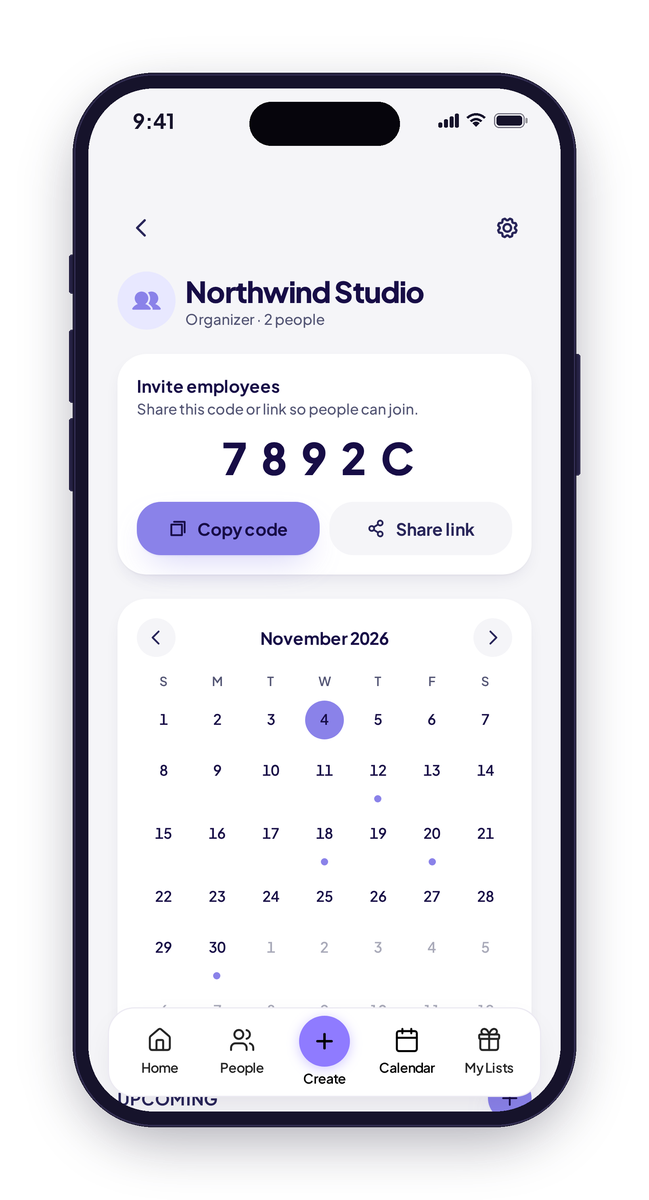
After the holidays, set up a Marked company calendar. Organizers invite employees with a code, and everyone sees company events, team birthdays and work anniversaries.
- Invite employees by code
- Company events, employee birthdays and work anniversaries
- Birth years can be hidden
- Employees have view-only access
Organizers stay in control
Employees can view the calendar, and organizers manage it.
No more missed work birthdays
Team birthdays and work anniversaries show up on one shared company calendar.
Your office Secret Santa, sorted.
For teams of up to 50.